Shadopan recompiled the World of Warcraft: Mists of Pandaria 5.4.8 client to WebAssembly and translates its Direct3D 11 graphics to WebGL 2 or WebGPU, so the game runs in a browser tab at https://play.shadopan.com. Game data streams over HTTPS as the game asks for it, and the game's connection to the realm travels over a WebSocket. Nothing is streamed as video: the game runs on your own device.
At a glance
- Game: World of Warcraft: Mists of Pandaria, patch 5.4.8 (build 18414)
- Code: the original client, recompiled to one WebAssembly module of about 38 MB
- Graphics: Direct3D 11 translated to WebGL 2, or to WebGPU on Macs
- Threads: Web Workers sharing one memory
- Data: streamed in 64 KB blocks and kept in the browser's storage
- Network: the game's TCP connections carried over WebSocket
- Price: free. No shop, no subscription, nothing to buy
- Status: still under development
Shadopan is a fan-run server and is not affiliated with Blizzard Entertainment.
The client compiled to WebAssembly
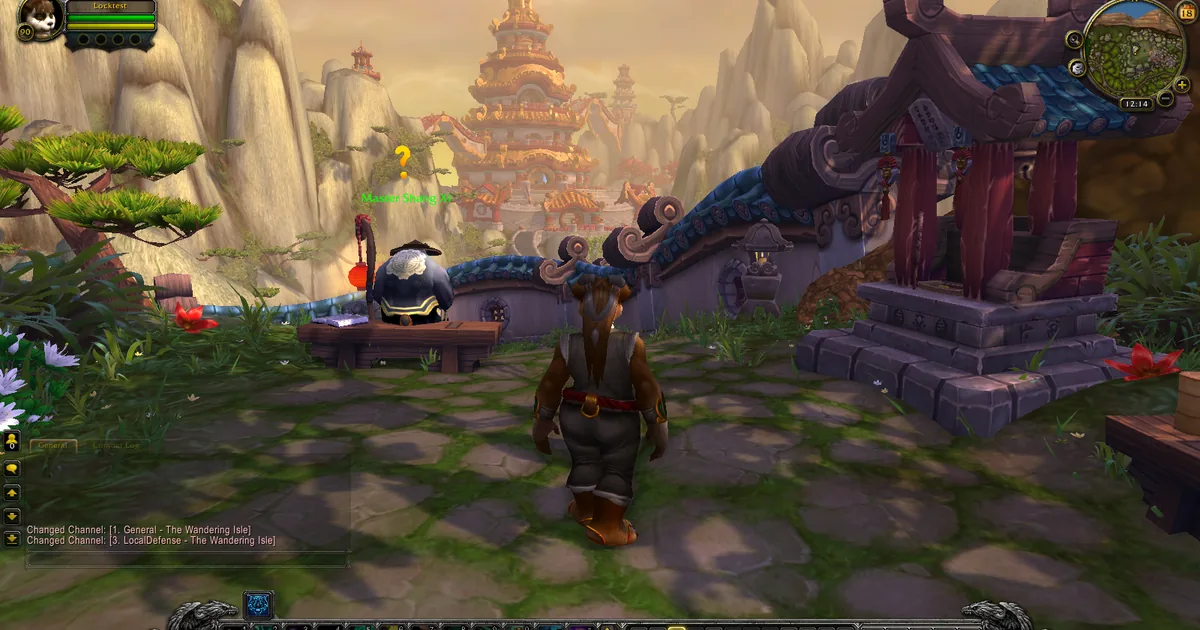
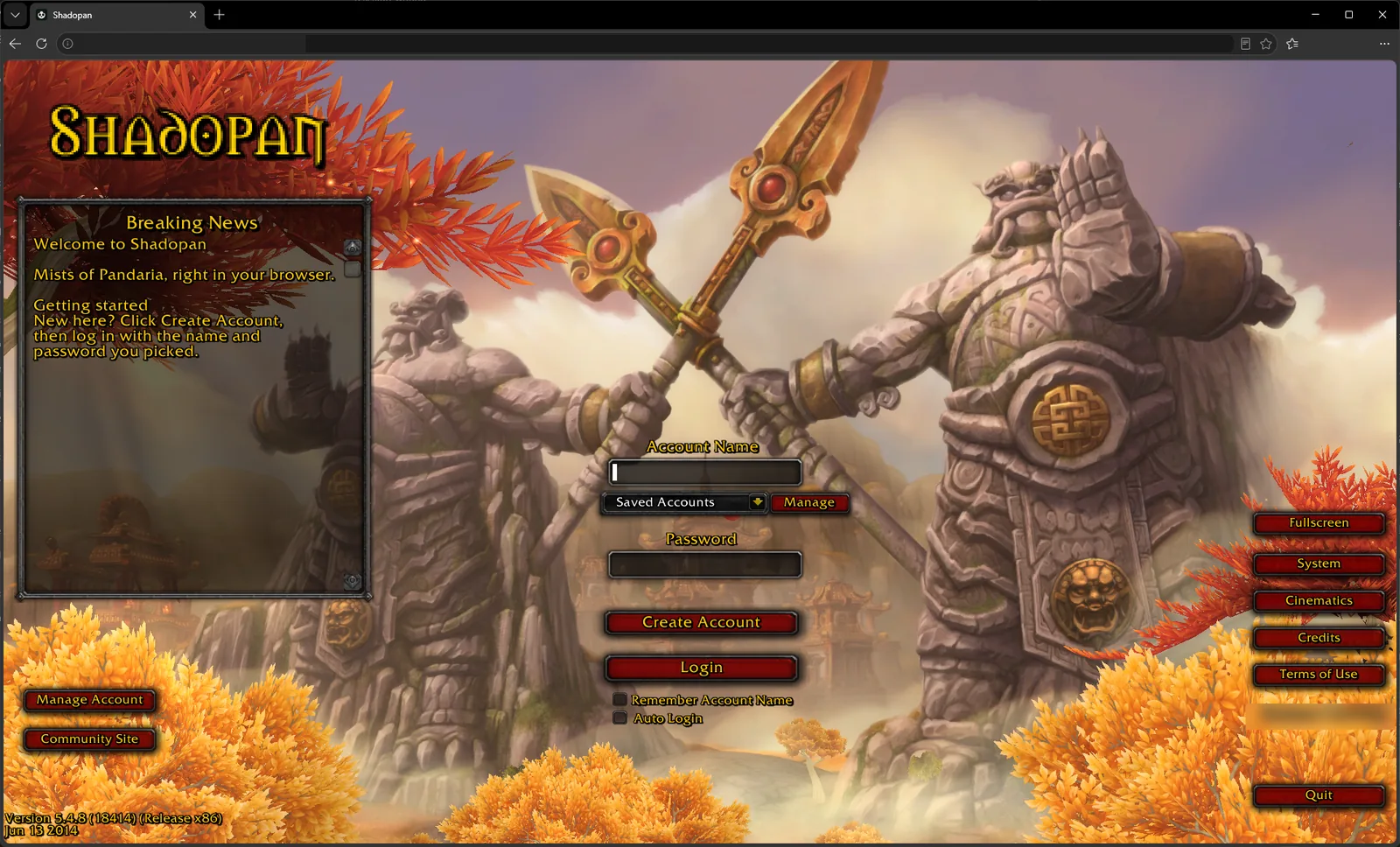 The game in the tab is the real 5.4.8 client, build 18414, as it shipped for Windows in 2014. It is not a remake, and it is not an emulator running the old program one instruction at a time. The client's code was recompiled for a different target: WebAssembly, the compact binary format that every current browser can run fast. The result is a single module of about 38 MB (38.1 MB in the build of 2026-11-15).
A Windows program expects Windows: files on a disk, threads, sockets, a sound device, Direct3D, a window with a mouse and keyboard. A browser offers none of those in that form. So underneath the client sits a thin platform layer that answers each of those requests with what a browser does have. The rest of this page is, in effect, a tour of that layer.
Because it is the same client, everything above that layer is original: the login screen, the character creation, the Lua interface, the world. The server cannot tell the difference either. It sees the same 5.4.8 protocol as from a desktop client, which is why the browser and the upcoming desktop launcher share accounts and characters.
Graphics: Direct3D 11 translated to WebGL 2 or WebGPU
The client draws with Direct3D 11. Browsers have two graphics interfaces, WebGL 2 and the newer WebGPU, and neither is Direct3D. A translation layer takes the client's Direct3D calls and its compiled shaders and re-expresses them for whichever of the two the page chose.
The drawing happens on its own thread, on an offscreen canvas, so that a busy frame in the game does not freeze the page. That is the reason iPhones and iPads need iOS or iPadOS 17: Safari could not draw WebGL 2 from a worker thread before that.
Most devices use WebGL 2. Macs use WebGPU, for a measured reason: on an M1 Pro MacBook the WebGL 2 path ran at 20 to 25 frames per second whatever the resolution, and the WebGPU path ran the game at 65 (November 2026). On a Windows desktop with an RTX 3070, the WebGL 2 path measured 187 to 200 frames per second in a starting zone at 1280x720 on the high preset (2026-11-11).
Threads and shared memory
The client is a multi-threaded program: a main game thread, threads for reading files, for the network, for sound, for animation. In a browser each of those becomes a Web Worker, and all of them share one block of memory, as threads do in a native program. A desktop start creates more than a dozen.
Browsers only allow shared memory on a page that is isolated from other sites. That is why the game refuses to start inside the built-in browsers of apps such as Discord or Instagram, which don't provide that isolation, and asks you to open the page in Safari or Chrome instead.
Streaming game data
An installed Mists of Pandaria client is many gigabytes of archives. Downloading that before the login screen would defeat the point, so the game's file reads are answered from the network instead.
The data is cut into fixed blocks of 64 KB. When the client reads part of a file, the layer underneath fetches the blocks that cover it over HTTPS, hands the bytes to the client, and stores the blocks in the browser's private storage for the site. The next read of the same block, in this session or the next one, comes from that storage. The blocks the login screen and character creation always need are fetched ahead of time.
The stored data is capped at 4 GB on a computer and 512 MB on a phone; beyond the cap, the files used least recently are removed at the next start. This is why the first visit to a zone loads slowly and the second is quick, and why a private window, which throws its storage away, always feels like a first visit.
The network: WebSocket to the realm
The client talks to its login server and world server over plain TCP connections. A web page cannot open one. It can open a WebSocket, so the layer under the client turns each connection the game opens into a WebSocket to play.shadopan.com, where a small relay passes the bytes on to the realm and back. The relay only connects to Shadopan's own servers.
Nothing in the game protocol changes on the way. The packets are the ones a 5.4.8 desktop client sends.
Sound, input and updates
The client's own sound engine still does the mixing; its output is handed to the browser's audio system instead of a Windows sound device. Mouse, keyboard and touch events from the page are fed to the client's own input code.
There is no patcher. The page checks every few minutes whether a newer client has been published and, if so, shows "A new version is available". Reloading gets it.
What phones needed
Getting to a login screen on a desktop was the easy half. Phones took most of the work, and it is not finished.
- Threads. In a browser every thread is a Worker that holds the whole module. On 2026-11-10 an iPhone closed the tab at login when one thread too many started. Phones now start fewer: a single ready-made Worker instead of eight, no separate animation threads, no separate graphics translation thread, and two engine threads left out.
- Memory. Phones close a tab that uses too much. The game's memory now starts at a different size per platform, because browsers count it differently, and about 100 MB of cached archives is no longer held in memory on phones where the browser's storage is unavailable. Measured on 2026-11-17 in Chrome emulating a Pixel 7, the tab used about 1.0 GB in a capital city on a return visit; the goal of 600 to 700 MB has not been reached, and the figure has not been confirmed on a real phone.
- Frame rate. Phones are capped at 30 frames per second, paced by the display's own refresh so the frames arrive evenly, and start with lighter graphics settings.
- Touch. The login screen, character list, character creation and the in-world controls (movement stick, camera drag, larger panels) were rebuilt for fingers in the game's own Lua interface.
iPhone and iPad support in particular is still being improved, and the current version has not been re-tested on a real iPhone.
Try it
Open https://play.shadopan.com: it is free, and there is nothing to install. Play World of Warcraft in Your Browser (https://shadopan.com/en/guides/play-wow-in-browser) is the short version of this page for players, Play Mists of Pandaria in Your Browser (https://shadopan.com/en/guides/play-mists-of-pandaria-in-browser) covers the expansion, and Play WoW on iPhone, iPad and Android (https://shadopan.com/en/guides/play-wow-on-phone) covers phones.