Yes. Shadopan runs World of Warcraft: Mists of Pandaria (patch 5.4.8) directly in a browser tab at https://play.shadopan.com, with no download and no launcher. It is free, has no shop, and works in a recent Chrome, Edge or Firefox on computers, and in Safari or Chrome on phones and tablets.
At a glance
- Game: World of Warcraft: Mists of Pandaria, patch 5.4.8 (build 18414)
- Price: free. No shop, no subscription, nothing to buy
- Where: https://play.shadopan.com, in the browser, nothing to install
- Devices: Windows, Mac, Linux and Chromebook computers; Android phones, iPhone and iPad (held sideways)
- Account: one free Shadopan account for the game and the website
- Desktop launcher: coming soon
- Status: still under development
Shadopan is a fan-run server and is not affiliated with Blizzard Entertainment.
Can you play World of Warcraft in a browser?
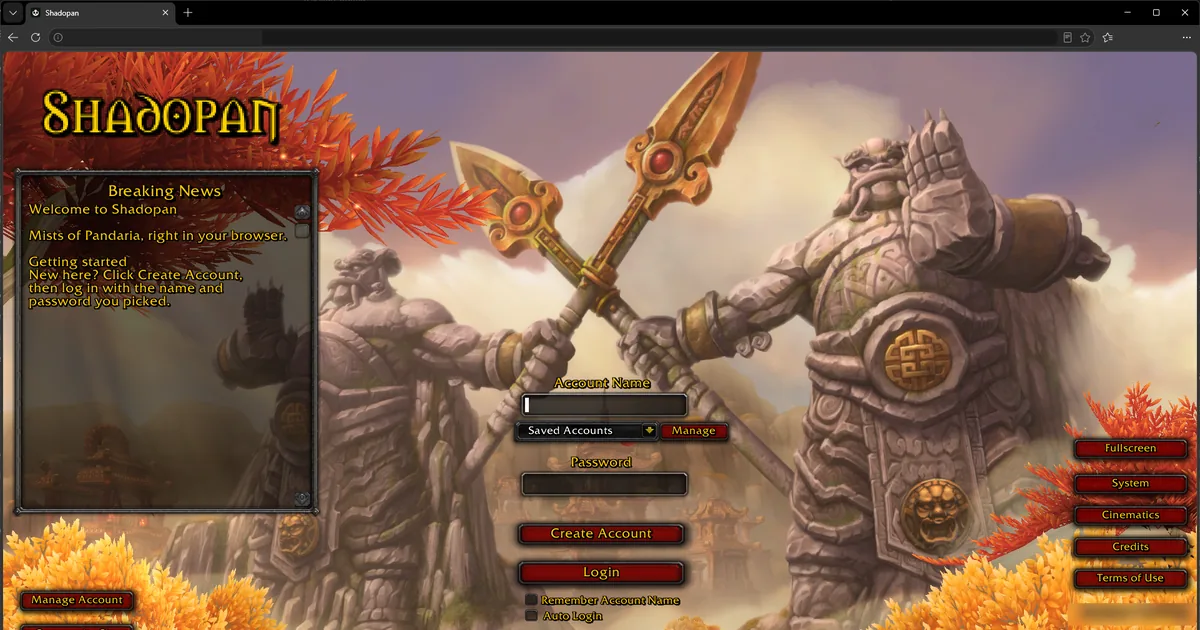
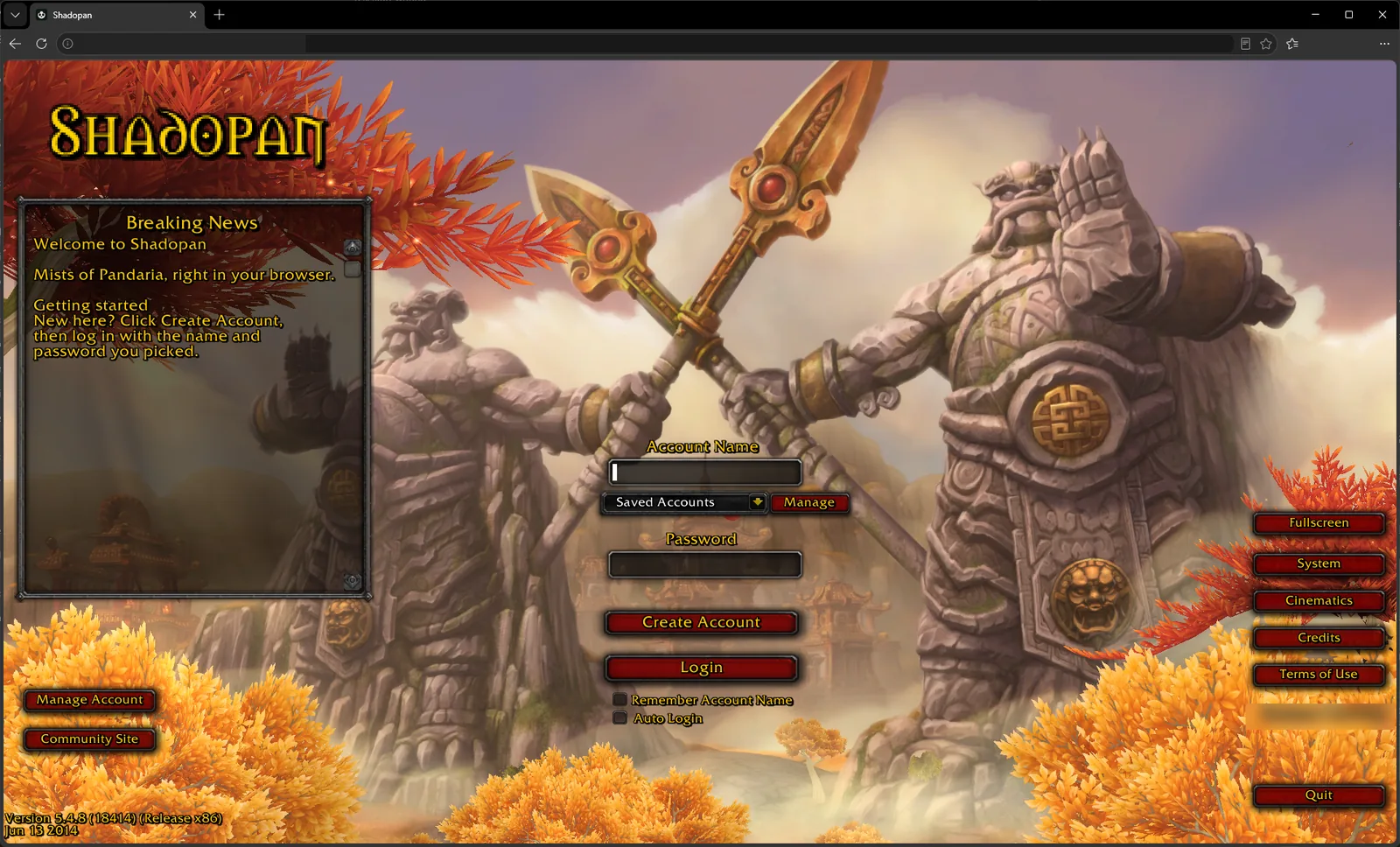 For most of WoW's history the answer was no: the game needs its own client, a download of many gigabytes and an installer. Shadopan changes that for one version of the game. The Mists of Pandaria 5.4.8 client was recompiled to WebAssembly, the format browsers use to run fast compiled code, and its graphics are translated to WebGL 2 (or WebGPU on Macs). The result is the same game, with its own login screen, character creation and interface, running inside an ordinary browser tab.
This is not a remake or a look-alike. You see the original 5.4.8 screens: the login screen, the realm and character lists, the race and class choice with Pandaren and Monks, and the full user interface once you are in the world.
How to start in 3 steps
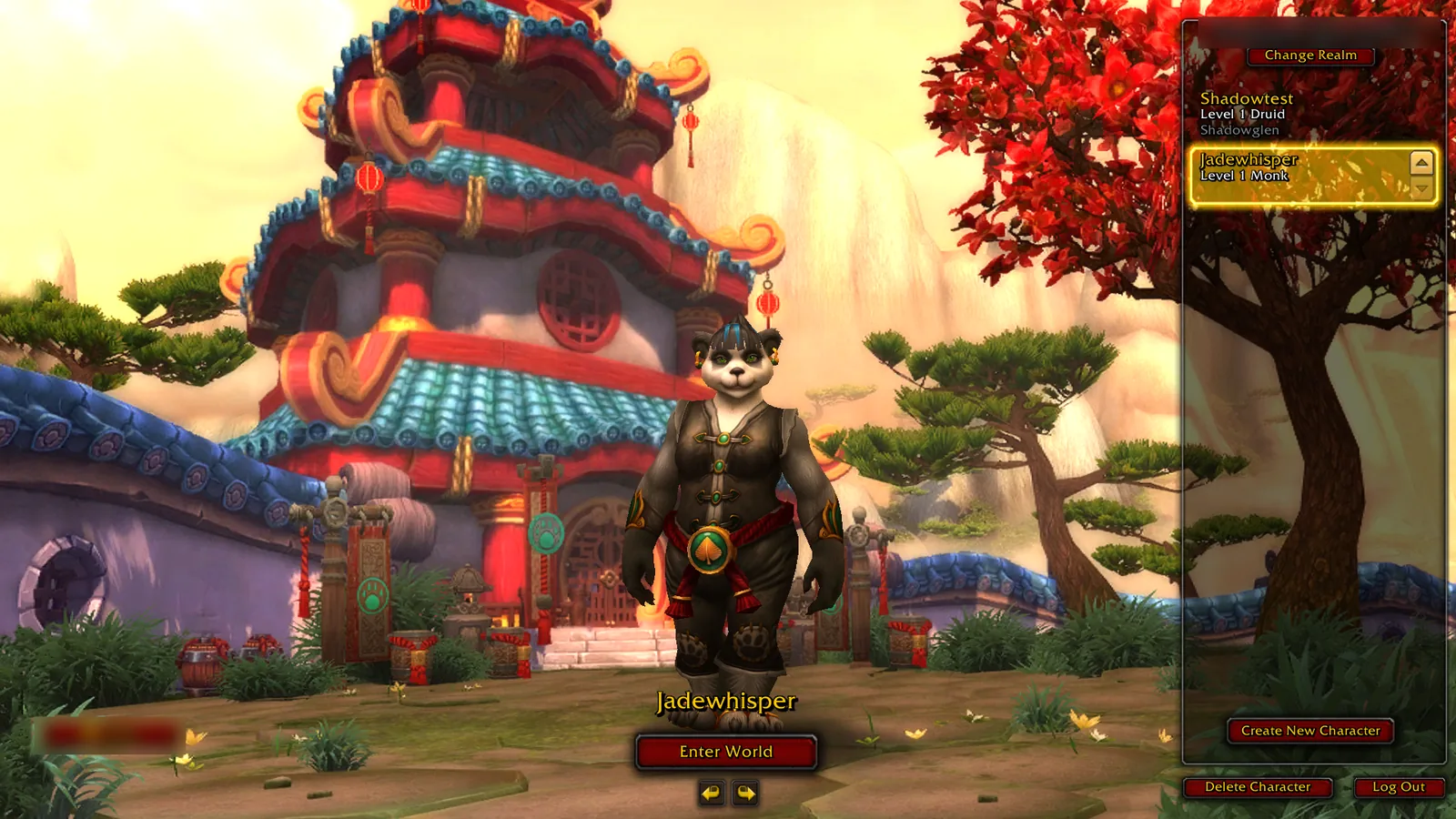 1. Create a free account. You can do it on the website (the Sign up button at https://shadopan.com/en/how-to-play) or on the game's own login screen with the Create Account button. Email is optional.
2. Open https://play.shadopan.com. The first start loads the files the login screen needs; give it a moment on a slow connection.
3. Log in with your account name (not your email) and password, pick your realm and create a character.
That is all. There is no client to download, no patcher and no realmlist file to edit. The How to Play page at https://shadopan.com/en/how-to-play walks through the same steps with pictures.
What you need
A browser. On a computer, use a recent version of Chrome, Edge or Firefox on Windows, Mac, Linux or a Chromebook. On an iPhone or iPad, use Safari or Chrome on iOS or iPadOS 17 or newer; older versions cannot run the game's graphics thread, and the page tells you so. On Android, use Chrome.
The browser needs WebGL 2 and hardware acceleration turned on. If the page says "Your browser can't run the game (it needs WebGL 2)", check that hardware acceleration is enabled in the browser's settings and that the browser is up to date.
Open the page directly in the browser, not inside another app. Links opened from Discord, Instagram, TikTok, Facebook or Reddit use those apps' built-in browsers, which can't run the game: the page will say "This app's built-in browser can't run the game. Open the page in Safari or Chrome." Use the app's menu to open the link in your real browser.
An internet connection that stays up. The game streams its data as you play, and your connection to the realm runs through the browser.
What works and what doesn't yet
Shadopan is still under development. In the browser today you can create an account, log in, create characters of every 5.4.8 race and class, enter the world and play, on a computer or a phone. Sound works. On phones, touch controls appear on screen when you hold the device sideways.
Things to know:
- The first start is slower than later ones, because the browser has to fetch game data before it can cache it. Later starts read most of it from the browser's own storage.
- Content opens progressively. Raids are released tier by tier, and the opening dates are announced on the website.
- It is a work in progress. Bugs are fixed as players report them, and the client is updated without anything for you to install: reloading the page gets the latest version.
- One account can only be in the game once. If you log in with the same account in a second tab or on a second device, the first session is disconnected after a minute or two.
Desktop vs phone
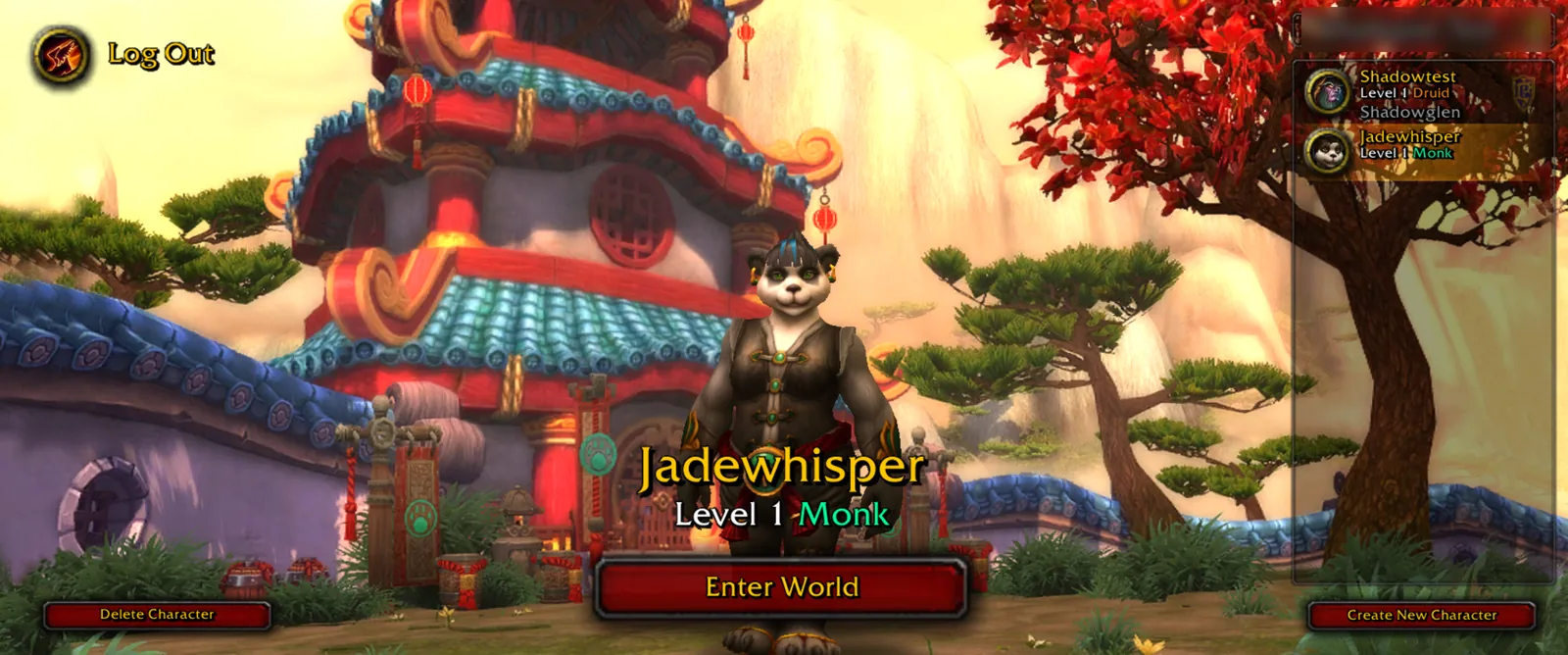 On a computer the game plays like the desktop client: mouse and keyboard, keybinds, the usual camera controls. On a Mac the game uses WebGPU for its graphics.
On a phone or tablet, hold the device sideways and the touch interface appears: a movement stick, camera dragging, larger buttons and touch-friendly menus. The game is played in landscape only; in portrait the page asks you to turn your device sideways. Adding the page to your home screen opens it full screen, which gives the game the whole display. Phones run the game at up to 30 frames per second to save battery and memory.
If you switch to another app or lock the screen, phones close the game's connection, so you will be disconnected and have to log in again. Keep the browser in front while you play.
Is it safe and free?
It is free: there is no shop, no paid items, no premium account and no subscription. Everyone plays on the same terms.
It runs inside the browser's sandbox, like any other web page. Nothing is installed on your computer, and closing the tab closes the game. The game data the browser keeps is stored in the site's own storage, which you can clear at any time from the browser's site settings.
Use a password you don't use anywhere else, and never enter your Blizzard (Battle.net) login on any private server, including this one. A Shadopan account is a separate account made only for Shadopan.
The page sends a report when the game crashes on a device, so problems that only happen on certain phones or browsers can be found and fixed.
Ready to try it? Open https://play.shadopan.com. For a closer look at the expansion itself, read Play Mists of Pandaria in Your Browser (https://shadopan.com/en/guides/play-mists-of-pandaria-in-browser), and for what "free" means here, A Free MoP Server With No Shop (https://shadopan.com/en/guides/free-mop-server-no-shop). More answers are in the FAQ at https://shadopan.com/en/faq.