Because Shadopan runs World of Warcraft: Mists of Pandaria inside the browser at https://play.shadopan.com, a computer only needs a recent Chrome, Edge or Firefox to play it: Windows, Mac, Linux or a Chromebook. The game files stream in as you play and are kept in the browser's own storage, so nothing is downloaded by hand and nothing is installed.
At a glance
- Game: World of Warcraft: Mists of Pandaria, patch 5.4.8 (build 18414)
- Price: free. No shop, no subscription, nothing to buy
- Where: https://play.shadopan.com in a browser. No client, installer, patcher or realmlist file
- Computers: Windows, Mac, Linux and Chromebook, in a recent Chrome, Edge or Firefox
- Needs: WebGL 2 and hardware acceleration turned on in the browser
- Storage: game data is kept in the browser's site storage, up to 4 GB on a computer
- Status: still under development
Shadopan is a fan-run server and is not affiliated with Blizzard Entertainment.
Why no download is needed
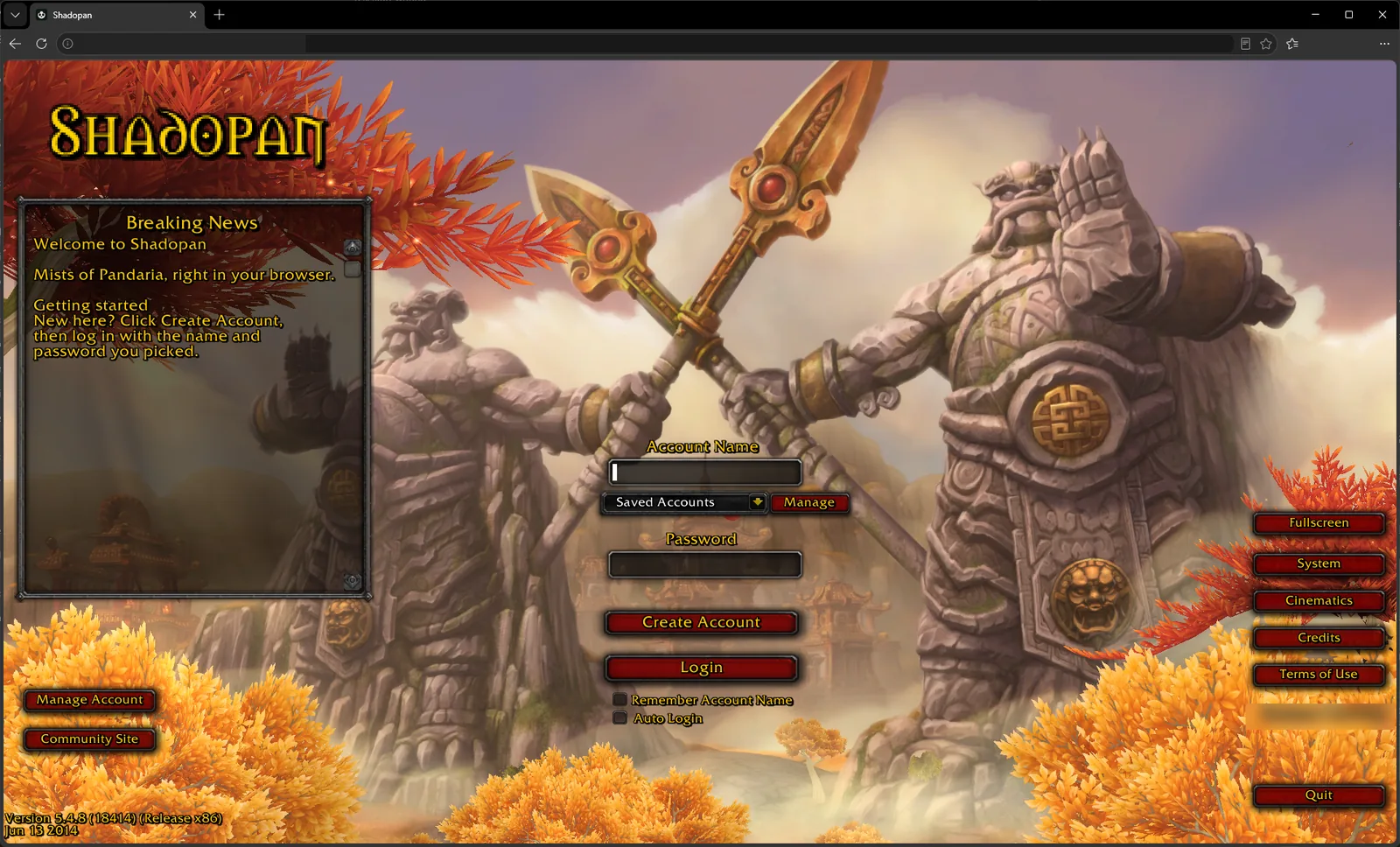 A Mists of Pandaria private server normally starts with a client download of many gigabytes, an installer and a realmlist file to edit. That rules out a Chromebook, and any computer where you can't install software or don't have the disk space.
Shadopan's client is the original 5.4.8 client recompiled to WebAssembly, the format browsers use to run compiled code. The browser loads it like any other page. The game's data (maps, models, textures, sounds) is fetched in small pieces when the game asks for it, so you start at the login screen after loading only what the login screen needs.
In practice that means:
- Nothing is installed, and no administrator rights are needed.
- Closing the tab closes the game.
- There is no patching. When the client is updated, reloading the page gets the new version; if you are playing at the time, the page shows "A new version is available".
- Your account and characters are on the server, so you can move between computers, or to a phone, and carry on.
This guide is about your own devices. If a computer belongs to a school or an employer, their rules about what you may run on it apply to a browser game as well.
Chromebook
A Chromebook does not run the Windows or Mac game client, so the browser is the way to play there. Chromebooks run Chrome, which is the browser the game is developed and tested in most.
Most Chromebooks have modest hardware, and the page allows for that: a computer with 4 GB of memory or less, four processor cores or fewer, or integrated graphics starts with lighter graphics settings (see "Low-end laptops" below). We have not measured frame rates on a Chromebook yet, so we don't quote any.
The game is played with keyboard and mouse as on any computer. An external mouse makes turning the camera much easier than a trackpad.
Mac
On a Mac the game draws through WebGPU when the browser has it, and the page picks that by itself. The reason is measured: on an M1 Pro MacBook the WebGL 2 path ran at 20 to 25 frames per second whatever the resolution, while WebGPU ran the game at 65 frames per second (November 2026).
Use Chrome on a Mac: that is the browser it has been tested in.
One difference from Windows: on a Mac the game does not capture the mouse pointer. You turn the camera by holding a mouse button and dragging, as usual, but a very long drag stops turning when the pointer reaches the edge of the screen. Let go and drag again.
Linux
World of Warcraft never had an official Linux client, so playing on Linux has always meant running the Windows client through a compatibility layer. The browser version needs none of that: open https://play.shadopan.com in Chrome or Firefox.
What matters on Linux is that the browser really uses your graphics card. The game needs WebGL 2 with hardware acceleration. If the page says "Your browser can't run the game (it needs WebGL 2)", turn hardware acceleration on in the browser's settings and update your graphics driver. We have not tested Linux separately from Windows and Mac, so tell us what you find.
Low-end laptops
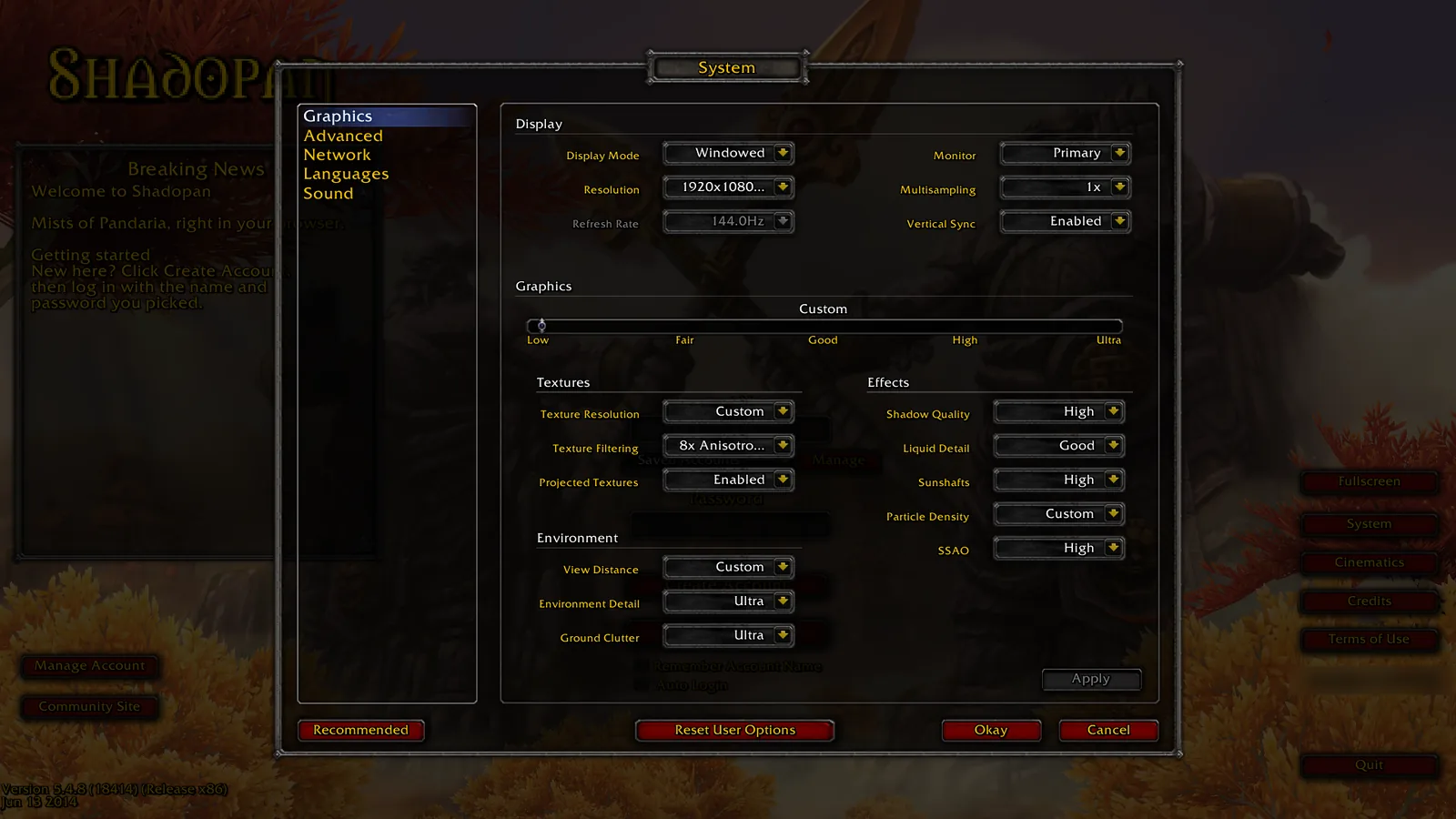 The first time the game runs on a computer with 4 GB of memory or less, four processor cores or fewer, or an integrated graphics chip, it starts with lighter settings instead of the high preset:
- Shadows, SSAO and sun shafts off.
- Water detail and reflections at their lowest.
- A shorter view distance, fewer particles and less ground clutter.
Textures keep their full size. In our measurements, turning shadows off alone freed 144 MB of graphics memory, and the shorter view distance cut the number of draw calls by 11%.
These are only starting values. The game's own options are all there (System, on the login screen or in the game menu), and what you change is kept.
On a laptop with two graphics chips, check that the browser uses the faster one (Windows: Settings > System > Display > Graphics). We have no measured frame rates from a real low-end laptop yet, so we can't promise a number: try it, it costs nothing.
Storage and cache: what the browser keeps
The game data you have already loaded is kept in the browser's private storage for play.shadopan.com, so the second start and the second visit to a zone are much faster than the first.
- Size: on a computer the store is capped at 4 GB (512 MB on phones). When it is over the cap, the files you used least recently are deleted at the next start. How much you actually use depends on how much of the world you have visited.
- Where: inside the browser's own profile, like any site's data. Nothing is written elsewhere on the disk.
- Removing it: clear the site data for play.shadopan.com in the browser's settings. The game simply downloads what it needs again.
- Private windows: a private or incognito window throws its storage away when you close it, so every session starts from an empty cache and loads slowly. The same goes for a browser set to clear site data on exit.
Want an installed client anyway?
A desktop launcher that installs the full 5.4.8 client is coming soon. It will use the same free account and the same characters, so nothing you do in the browser is lost.
Ready to try it? Open https://play.shadopan.com. Play World of Warcraft in Your Browser (https://shadopan.com/en/guides/play-wow-in-browser) covers the basics, Play WoW on iPhone, iPad and Android (https://shadopan.com/en/guides/play-wow-on-phone) covers phones, and How to Play (https://shadopan.com/en/how-to-play) has the sign-up steps. More answers are in the FAQ at https://shadopan.com/en/faq.