

Is the launcher free?
Yes. The launcher and the game are free, and there is nothing to buy.

Mists of Pandaria 5.4.8 on your Windows desktop
The launcher installs Shadopan's own Windows build of the 5.4.8 client, keeps it up to date and starts it. Same realm, same account and same characters as in the browser. Free, with nothing to buy.
Version 1.0.0 · Windows 10 and 11 (64-bit) · installer about 120 MB · free
Rather not install anything? Play in the browser insteadFrom the first start to the sign-in screen.
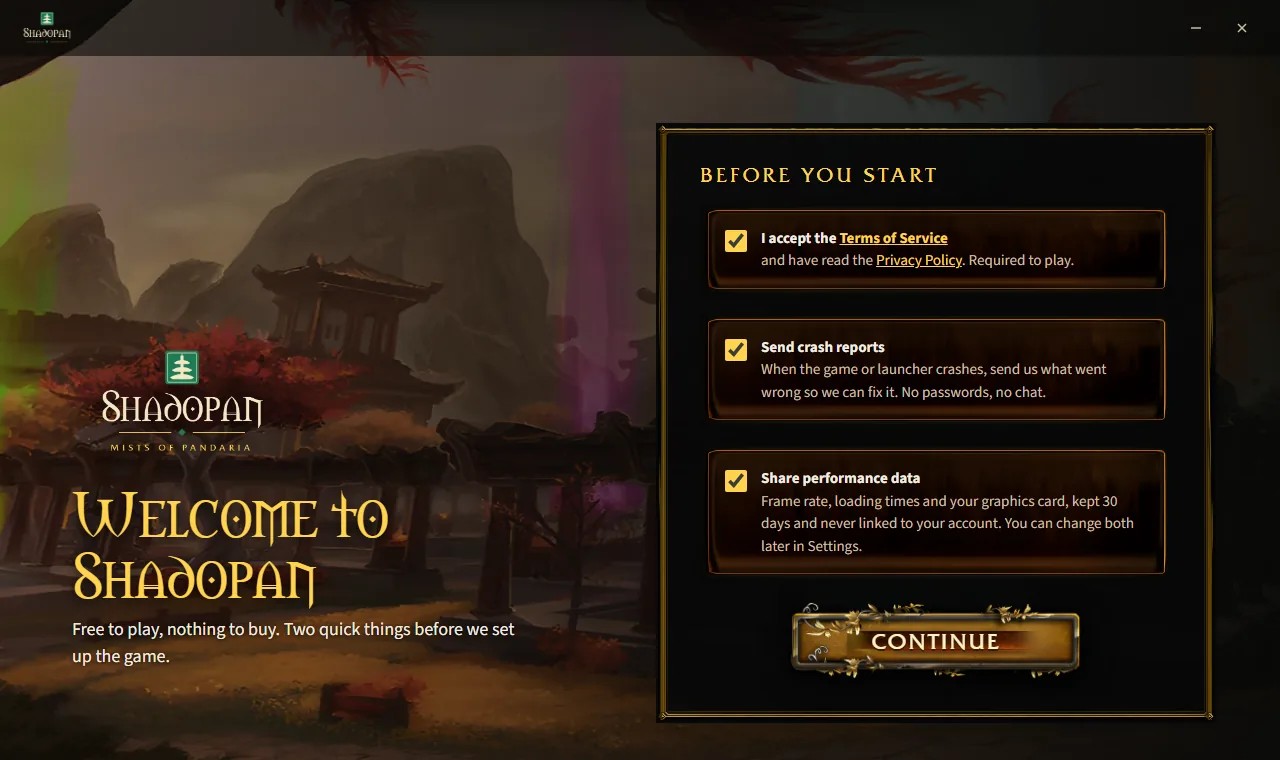
First start: accept the terms and choose whether to send crash reports and performance data.
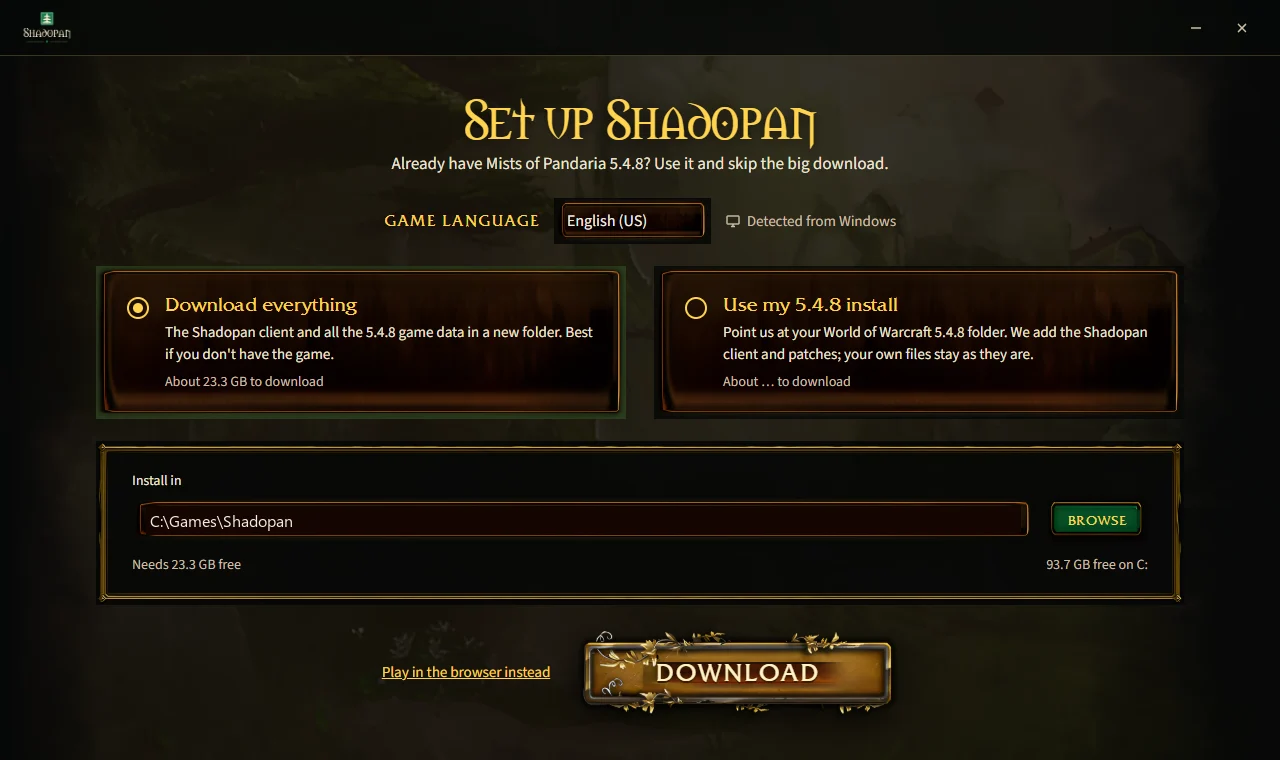
Setup: download the whole game, or point the launcher at your own 5.4.8 folder. The game language is detected from Windows.
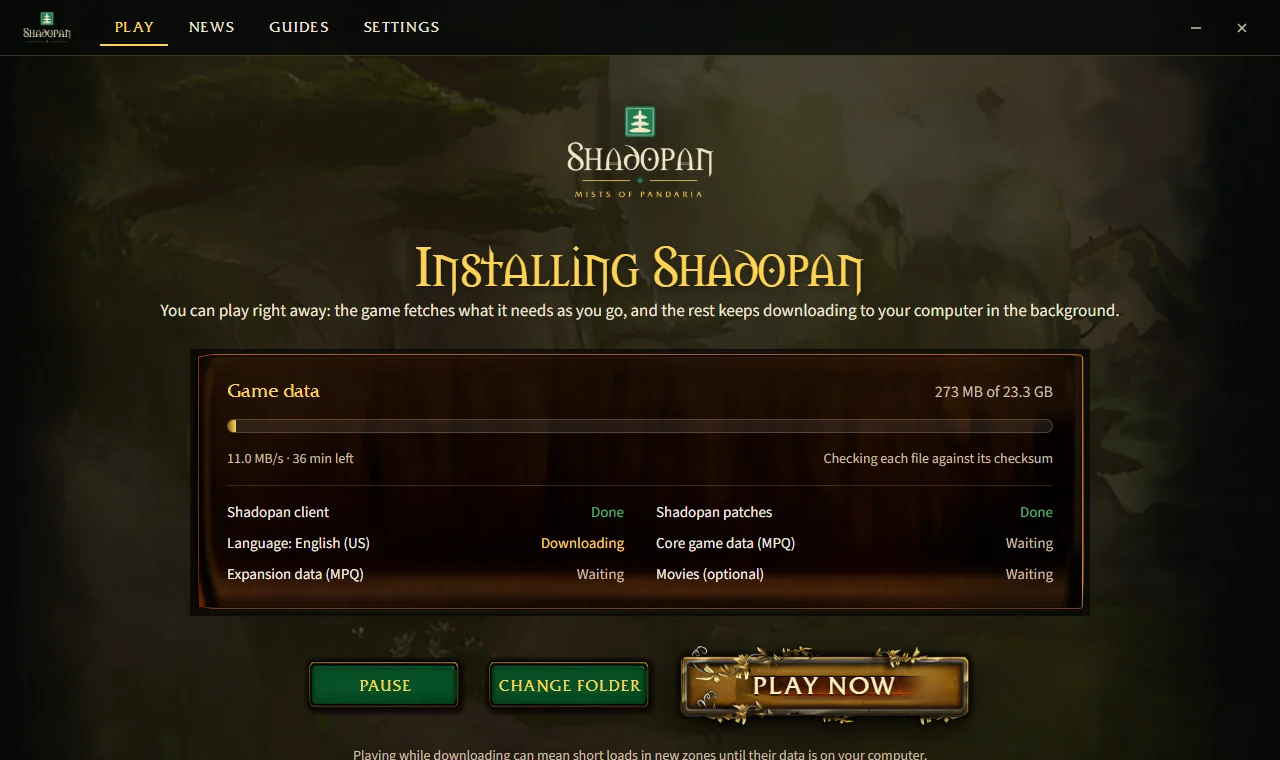
Installing: play as soon as the files needed to start are in, while the rest keeps downloading.
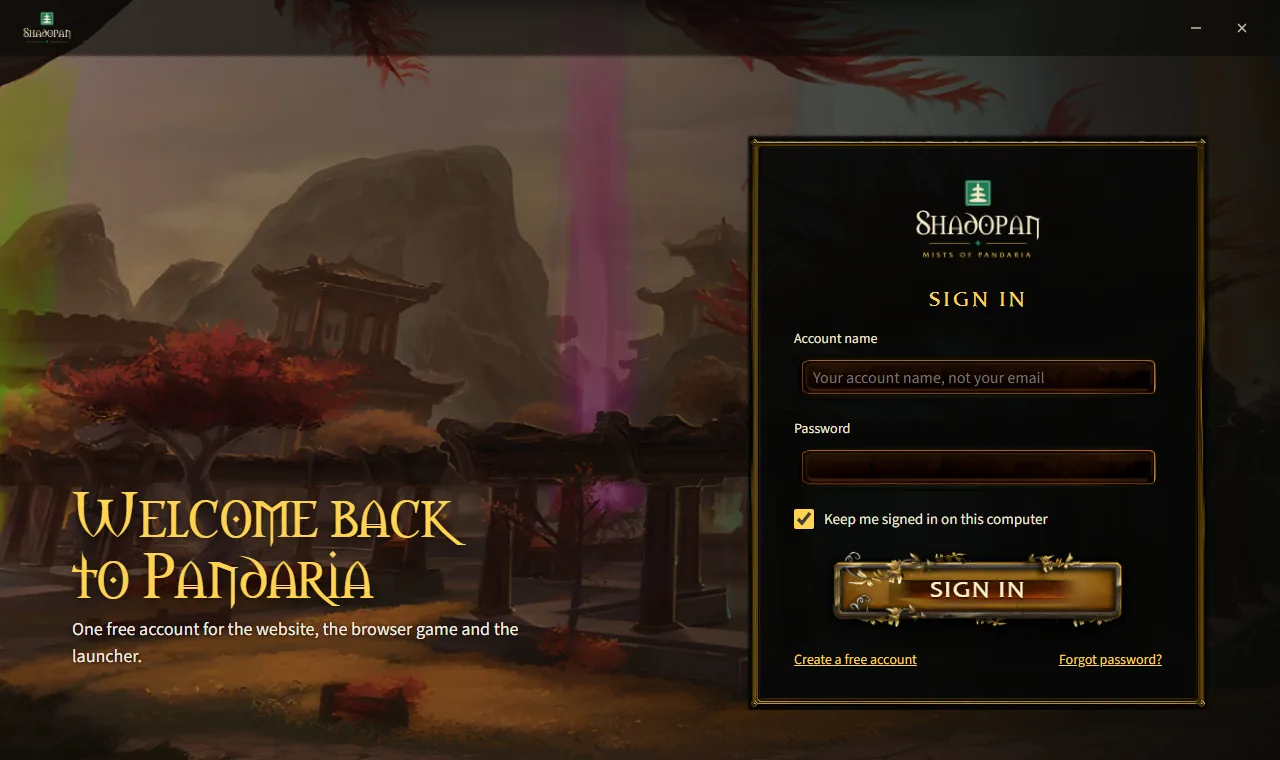
Sign in with your Shadopan account, the same one you use on the website and in the browser.
Our own build of the 5.4.8 client with Shadopan's changes, installed and started for you. It connects to the same servers as the browser game.
Sign in with your Shadopan account. Characters you made in the browser are waiting in the launcher, and the other way round.
Play unlocks once the files needed to start are on your computer. The rest downloads in the background, with pause, a speed limit and a repair button.
Already have Mists of Pandaria 5.4.8, complete or in part? The launcher reuses every file that matches and downloads only the rest.
The launcher updates the game and itself. A new launcher version downloads in the background and is ready after a restart.
The game language is detected from Windows, and you can change it in the launcher's settings.
Yes. The launcher and the game are free, and there is nothing to buy.
No. Sign in with the Shadopan account you use on the website and in the browser game. Your characters are the same in both.
The installer is not code-signed yet, so SmartScreen does not recognise it. Click More info, then Run anyway. Download the launcher only from shadopan.com.
Yes. During setup choose "Use my 5.4.8 install" and pick the folder. The launcher reuses every file that matches, even from a partial install, and downloads only what is missing.
Yes. Play unlocks as soon as the files needed to start are in. The rest keeps downloading in the background, so a new zone can take a moment to load until its data is on your computer.
Not yet. On a Mac, Linux or a Chromebook, play in the browser at https://play.shadopan.com with the same account.
Either. Both connect to the same realm with the same account and characters. The browser needs nothing installed and also works on phones and tablets; the launcher installs Shadopan's Windows client and keeps the game files on your computer.
The browser game is the same realm, account and characters. Open the page, log in and play.